

Is a Glowforge the right first laser cutter for someone starting out?
For many beginners, a Glowforge is a strong entry point because it simplifies setup and operation. However, it is a diode laser with specific material limitations. If your primary goal is cutting thick acrylic or metal, a CO2 or fiber laser from a manufacturer like Kern Laser Systems may be a better long-term investment. The right choice depends on your specific materials and production goals.
What is a Glowforge?
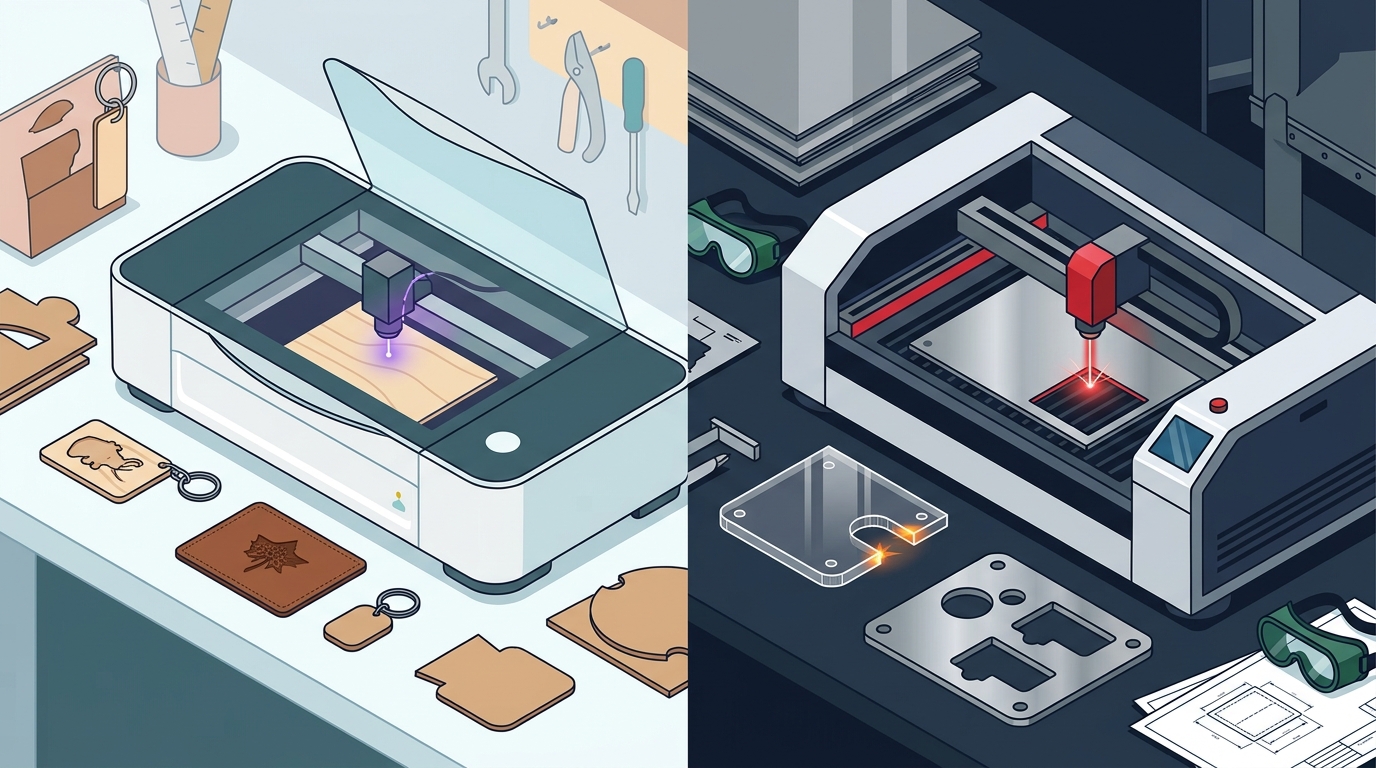
A Glowforge is a diode laser system designed for small to medium-sized projects. It is known for its user-friendly interface and ability to engrave a wide variety of materials without extensive setup. The machine uses a diode laser source, which differs significantly from the CO2 or fiber lasers used in industrial settings. This technology is well-suited for hobbyists and small businesses focusing on personalization and light-duty fabrication.
Diode vs. CO2 Technology
Diode lasers, like those in Glowforge, are compact and easy to operate. They are ideal for engraving wood, leather, and anodized aluminum. In contrast, CO2 lasers offer higher power and are capable of cutting thicker materials. Understanding this distinction is critical when evaluating your first machine.
Material Limitations and Capabilities
The primary limitation of a diode laser is its inability to cut certain materials effectively. Glowforge can cut thin acrylic and wood but struggles with thicker substrates. It cannot cut uncoated metals, which is a significant constraint for manufacturing applications. For businesses planning to work with stainless steel or mild steel, a fiber laser is the standard solution.
Engraving Versatility
Despite cutting limitations, Glowforge excels at engraving. It can mark anodized aluminum, glass, and various plastics. This makes it a popular choice for creating personalized gifts and small signage. If your workflow is primarily engraving rather than cutting, the diode technology may be sufficient.
Production Capacity and Scalability
Long-Term Investment
Buying a Glowforge is a lower initial cost, but it may not scale with your business. If you anticipate needing to cut thicker materials or increase production speed, investing in a larger format system early can save money in the long run. Kern Laser Systems offers a range of machines to fit different growth stages.
Safety and Compliance Considerations
Laser safety is a critical factor for any new operator. Glowforge is a Class 4 laser, requiring strict safety protocols. Operators must be trained in laser safety and comply with local regulations. Laser safety standards, such as those from ANSI and CDRH, apply to all industrial laser systems. Proper training and safety equipment are non-negotiable for a safe working environment.
Training and Support
Key Takeaways
- Glowforge is a diode laser, best for engraving and light cutting.
- It cannot cut uncoated metals, limiting its use in metal fabrication.
- CO2 and fiber lasers offer higher power and better scalability for manufacturing.
- Consider your long-term material needs before purchasing your first laser.
- Proper laser safety training is required for all Class 4 laser systems.
- Kern Laser Systems provides a range of options for growing businesses.
Frequently Asked Questions
Can a Glowforge cut metal?
No, a Glowforge cannot cut uncoated metals. It can engrave anodized aluminum and other coated metals, but it lacks the power to cut through solid metal sheets.
What is the difference between a diode laser and a CO2 laser?
A diode laser uses a semiconductor to generate light, making it compact and lower power. A CO2 laser uses a gas mixture to generate a higher power beam, capable of cutting thicker materials.
Is Glowforge good for a small business?
Glowforge can be a good fit for small businesses focused on engraving and light-duty cutting. However, if you plan to scale into manufacturing or work with thicker materials, a CO2 or fiber laser may be a better choice.
What materials can a Glowforge engrave?
Glowforge can engrave a wide range of materials, including wood, leather, anodized aluminum, glass, and various plastics.
Do I need special training to use a Glowforge?
Yes, you should receive proper training in laser safety before operating any Class 4 laser system. This includes understanding safety protocols and using appropriate protective equipment.
Conclusion
Choosing your first laser cutter is a significant decision. While a Glowforge offers an easy entry point for hobbyists and small-scale engravers, it has clear limitations for manufacturing and metal cutting. If your business goals involve cutting thicker materials or scaling production, consider a CO2 or fiber laser from a trusted manufacturer. Contact Kern Laser Systems to discuss your specific needs and find the right system for your business. Learn more: Contact Kern Laser Systems.