
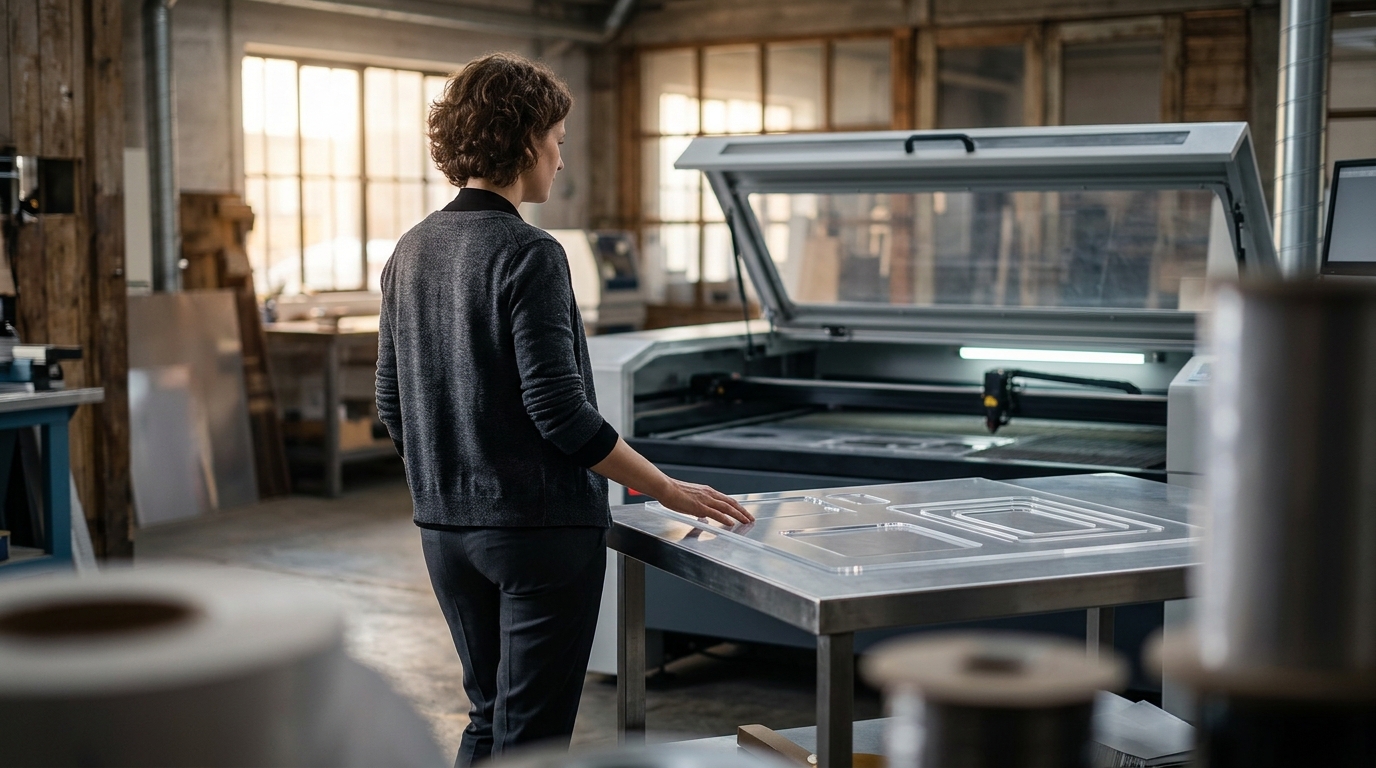
A complete CAD to cutting workflow for acrylic production involves converting vector designs into optimized toolpaths, nesting parts to minimize waste, and executing precise laser cuts. This process ensures high-quality edges and efficient material usage. Kern Lasers provides the integrated hardware and software ecosystem required to manage this pipeline from initial design to final part removal.
Designing Vector Files for Laser Compatibility
The foundation of a successful acrylic cutting workflow is the creation of clean vector files. Vector graphics define shapes using mathematical points and lines, which is essential for the laser head to follow a precise path. Raster images, such as JPEGs or PNGs, cannot be cut directly because they lack the geometric data required for vector operations. Designers must ensure that all paths are closed and that line weights are consistent to avoid processing errors.
CorelDRAW is widely used in the laser industry for this purpose due to its robust vector capabilities. Kern Lasers notes that CorelDRAW is the most popular graphic software among their customers because of its compatibility with both cutting and engraving files. The software allows designers to import over 30 different file types, providing flexibility for various client deliverables. Using a dedicated vector program ensures that the design intent is preserved before it reaches the machine.
Nesting and Material Optimization
Nesting is the process of arranging multiple parts on a material sheet to maximize yield and minimize waste. In acrylic production, where material costs can be significant, efficient nesting directly impacts profit margins. Manual placement is time-consuming and often suboptimal, making software-driven nesting a critical step in the workflow. Advanced nesting algorithms can account for part orientation, kerf width, and material grain direction.
Kern offers several options for nesting, ranging from low-cost entry-level packages to comprehensive solutions. The eCUT macro, compatible with CorelDRAW, performs basic nesting operations including sheet size selection and padding between parts. For more complex requirements, StrikerCNC provides advanced nesting capabilities that integrate seamlessly with CNC laser machinery. These tools allow operators to view the outcome of the nesting directly in a table view, ensuring that the layout meets production standards before the laser begins cutting.
Software Integration and File Transfer
Once the design is nested, the file must be transferred to the laser control software. This step involves converting the vector data into a format that the machine's motion controller can interpret. Kern's proprietary KCAM software serves as the central hub for this process. KCAM is an industry-leading laser control software developed by Kern's in-house team, designed to provide direct control over motion settings and laser power.
The transfer process is streamlined through Kern's PDF Converter Tool. This tool connects popular design software, such as Adobe Illustrator and AutoCAD LT, with KCAM. A custom PDF Exporter macro allows users to send files from their design program to KCAM with a single click. This integration eliminates manual file conversion errors and reduces the time spent on setup. The seamless connection between design and control software is a key differentiator for Kern systems, ensuring that the workflow remains efficient and error-free.
Executing the Cut with Precision
With the file loaded into KCAM, the operator configures the laser parameters for the specific acrylic material. Acrylic, also known as PMMA or Plexiglass, requires specific power and speed settings to achieve a clean, flame-polished edge. The laser beam is focused to a small point of intense energy, which melts or vaporizes the material. The non-contact nature of laser cutting prevents the surface scratches that are common with traditional mechanical tools.
Kern's laser systems, such as the OptiFlex and LaserCELL, are engineered for high-precision acrylic processing. The OptiFlex features a HyperDual motion system with Yaskawa Sigma7 servo motors, which provides dramatically increased cut acceleration rates. This hardware capability allows the laser to maintain high speeds while executing complex vector paths. The result is a high-quality edge finish that requires no secondary polishing, saving time and labor costs in the production line.
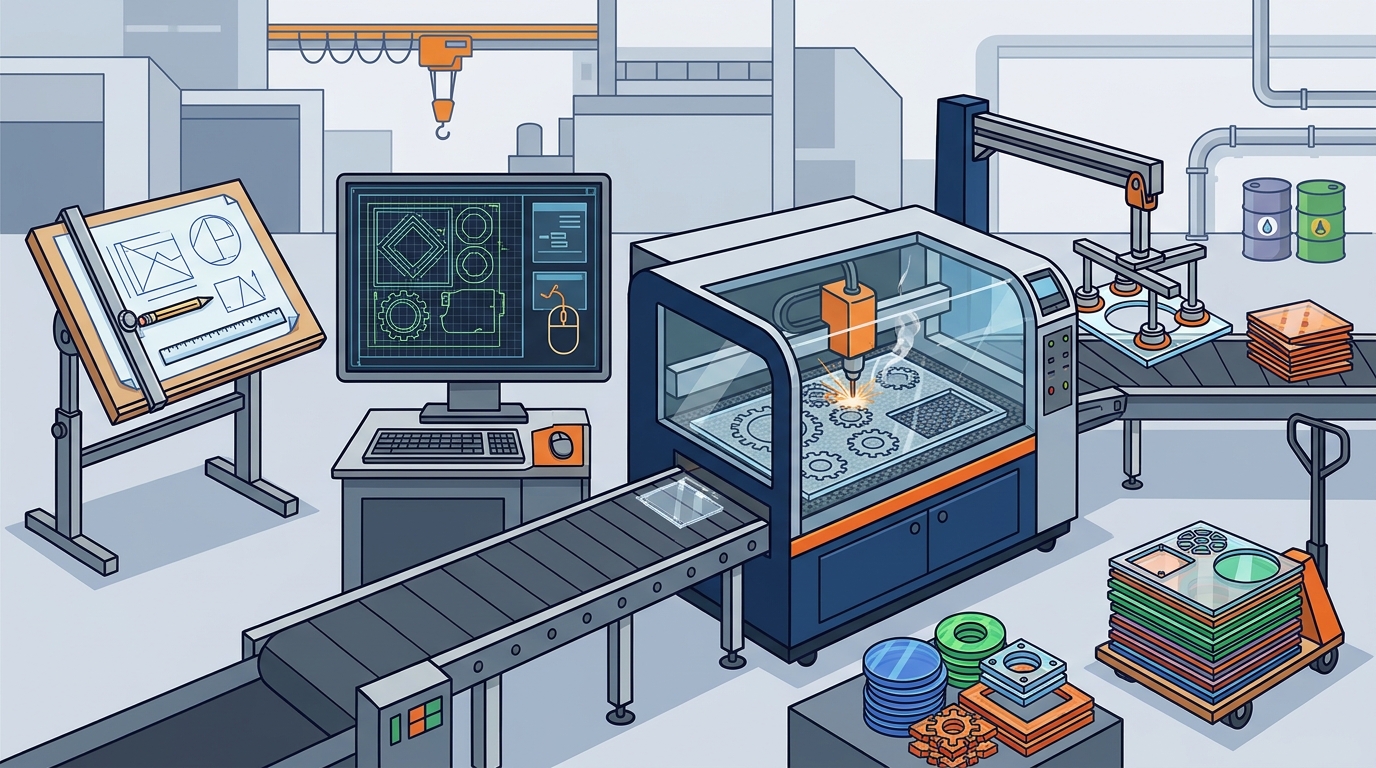
Post-Processing and Parts Handling
After the cutting process is complete, the parts must be removed from the material sheet. This step, known as weeding, can be a bottleneck in production if not managed efficiently. Manual removal of parts from a large sheet is labor-intensive and can lead to delays. Automating or streamlining this process is essential for maintaining high throughput.
Kern's Versa-Tray system addresses this challenge by allowing for quick part removal. The system consists of lightweight trays that can be easily swapped in and out of the laser bed. While the laser is cutting one tray, another can be loaded with new material. This parallel processing reduces downtime between jobs and allows for continuous production. The Versa-Tray is available in different configurations, including honeycomb beds and acrylic slats, to suit various material types and application needs.
Key Takeaways
- Vector files are mandatory for laser cutting, with CorelDRAW being a popular choice for its robust features.
- Nesting software like eCUT or StrikerCNC is critical for maximizing material yield and reducing waste.
- KCAM software integrates seamlessly with design tools via the PDF Converter Tool for efficient file transfer.
- High-performance motion systems, such as the HyperDual system, ensure precise and fast cutting of acrylic.
- The Versa-Tray system streamlines post-processing by enabling parallel loading and unloading of material.
- Proper laser parameter settings are required to achieve a flame-polished edge on acrylic sheets.
Frequently Asked Questions
What software is best for creating laser cutting files?
CorelDRAW is widely considered the most popular graphic software for laser cutting due to its compatibility with both cutting and engraving files. It supports a wide range of file types and offers robust vector editing tools.
Can I use Adobe Illustrator with Kern laser systems?
Yes, Adobe Illustrator is fully compatible with Kern laser systems. Kern provides a custom PDF Exporter tool for Illustrator that allows users to send files directly to KCAM software with a single click.
What is the benefit of using nesting software?
Nesting software arranges parts on a material sheet to minimize waste and maximize productivity. This is particularly important for acrylic production, where material costs can be high.
How does KCAM software integrate with design programs?
KCAM integrates with design programs like CorelDRAW and Adobe Illustrator through Kern's PDF Converter Tool. This tool facilitates a seamless transfer of vector files to the laser control software.
What is the Versa-Tray system used for?
The Versa-Tray system is used for efficient parts handling. It allows operators to swap trays in and out of the laser bed, enabling parallel processing and reducing downtime between jobs.
Can a CO2 laser cut metal?
Yes, a properly outfitted CO2 laser can cut metal. Kern has developed a metal cutting option that allows CO2 lasers to cut metals with relative ease, although fiber lasers are often preferred for dedicated metal fabrication.